
ZenGrove
Built to move. Down to the last leaf.
Built to move. Down to the last leaf.
The ZenGrove 1.0.0 reference: 52 nodes, 907 settings and short WebM demos. Explore Look At asset orientation, GameDynamics, joint previews, skeletal export and per-leaf random vertex colors. Requires AO.Hub 1.6.6 or later.
Vertex Color
Author independent RGBA masks for wind and shading. Combine structural gradients, foliage flutter and stable per-leaf random values, then carry the colors into your game-engine material.
Branches
Branches
Three channels. Independent control.
R for Tree Distance, G for Foliage Flutter and B for Random Value (per Leaf). Three current UI views in three seconds. Match these channels to the material in your engine.
In the channel your shader expects, choose Random Value (per Leaf). Every vertex of one logical leaf receives the same deterministic value; different leaves receive different values. For an unremapped 0–1 phase, keep Min 0, Max 1, Falloff 1, Invert off and Clamp on. The raw value is at least 0 and less than 1.
Random Seed changes only that channel’s values, not leaf placement. The same seed produces the same values in different channels. Values use stable leaf identity, so timeline scrubbing, evaluation order and saving the graph do not reroll them. Changing the leaf identities or the seed can change the result.
A practical layout is R = Tree Distance, G = Foliage Flutter and B = Random Value (per Leaf), leaving A off unless your shader needs it. Read B as the leaf’s motion phase and G as its flutter mask. Match the channel convention in your engine material and import vertex colors. These values are data; the engine shader supplies the movement.
Random Value (per Leaf) writes zero on wood and roots, including after remapping and inversion. It is a leaf-level value, not a random number per vertex. Other active channels keep their own configuration and Off channels preserve incoming values.
Watch the Vertex Color settings tour
Current Maya controls, including conditional settings. Each view stays on screen for one second (three views take three seconds); pause or choose a group to inspect it.
Affect
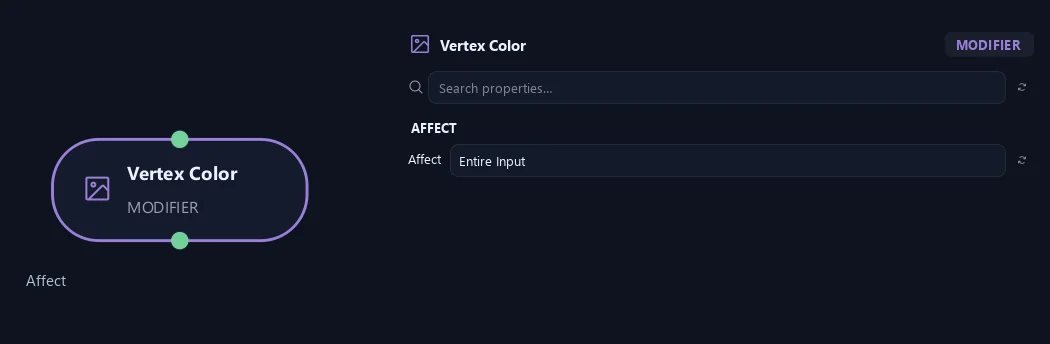
- Affect
Chooses which branches are affected. Active Branches uses the latest generated layer. Active + Descendants also includes growth from that layer. Active Generated Hierarchy additionally includes ancestors created by that same generated contribution. Entire Input uses everything arriving here. Attached children follow a moved parent even when they are not reshaped themselves.
Channel R
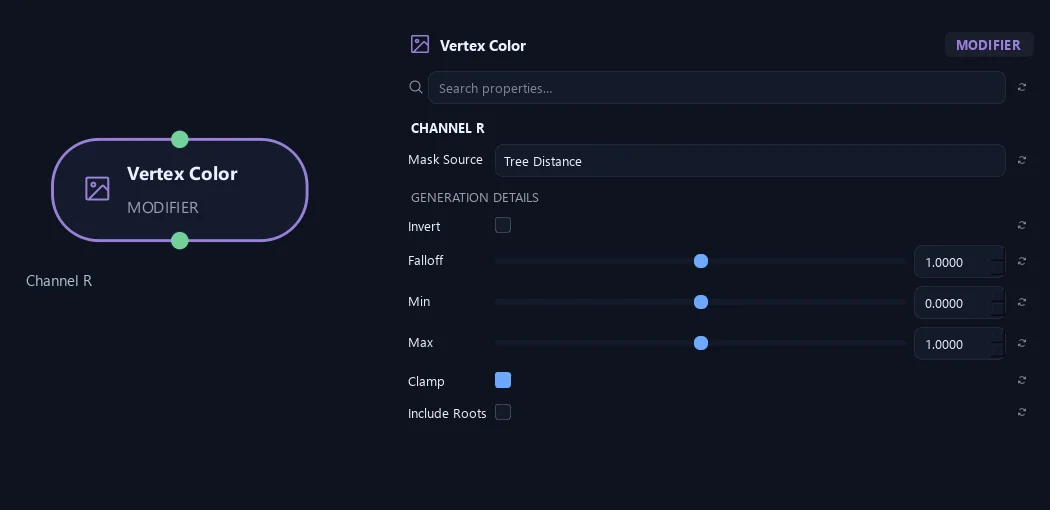
- Mask Source
Choose what this channel stores. Off preserves its incoming values. Random Value (per Leaf) gives each logical leaf one stable value across all its vertices, suitable for an engine-shader phase offset. Foliage Flutter gives a base-to-tip mask. An active source replaces only its own channel.
- Invert
Flips the mask after Falloff, exchanging dark and light.
Available when Mask Source is Tree Distance or Branch Distance or Branch Level or Radius or Foliage Flutter or Random Value (per Leaf) or Collision Flexibility.
- Falloff
Changes how the mask rises from dark to light. One keeps an even response; larger values keep it darker for longer.
Available when Mask Source is Tree Distance or Branch Distance or Branch Level or Radius or Foliage Flutter or Random Value (per Leaf) or Collision Flexibility.
- Min
Sets the output value at the dark end of the mask.
Available when Mask Source is Tree Distance or Branch Distance or Branch Level or Radius or Foliage Flutter or Random Value (per Leaf) or Collision Flexibility.
- Max
Sets the output value at the light end of the mask.
Available when Mask Source is Tree Distance or Branch Distance or Branch Level or Radius or Foliage Flutter or Random Value (per Leaf) or Collision Flexibility.
- Clamp
Keeps final values between zero and one.
Available when Mask Source is Constant or Tree Distance or Branch Distance or Branch Level or Radius or Foliage Flutter or Random Value (per Leaf) or Collision Flexibility.
- Include Roots
Includes roots in structural masks. When off, roots are set to zero after the other adjustments.
Available when Mask Source is Tree Distance or Branch Distance or Branch Level or Radius or Collision Flexibility.
Channel G
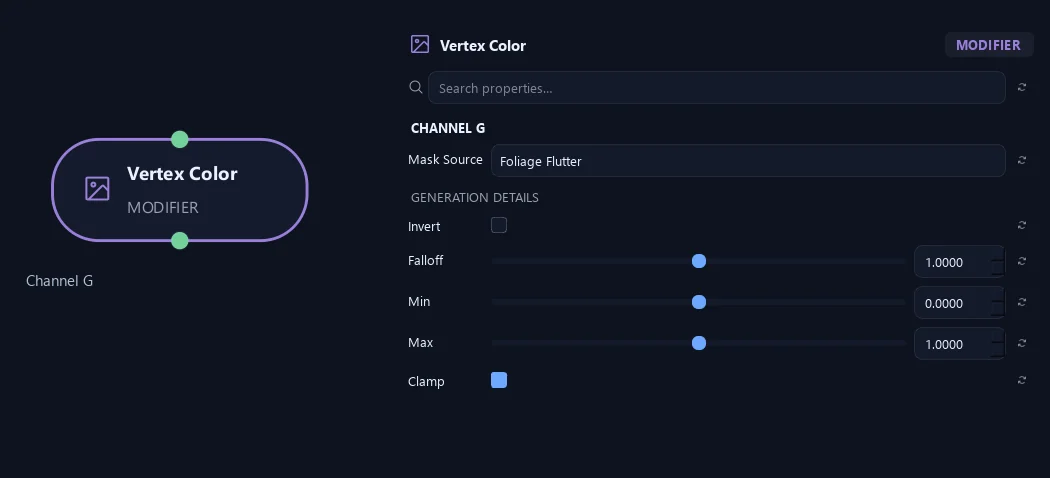
- Mask Source
Choose what this channel stores. Off preserves its incoming values. Random Value (per Leaf) gives each logical leaf one stable value across all its vertices, suitable for an engine-shader phase offset. Foliage Flutter gives a base-to-tip mask. An active source replaces only its own channel.
- Invert
Flips the mask after Falloff, exchanging dark and light.
Available when Mask Source is Tree Distance or Branch Distance or Branch Level or Radius or Foliage Flutter or Random Value (per Leaf) or Collision Flexibility.
- Falloff
Changes how the mask rises from dark to light. One keeps an even response; larger values keep it darker for longer.
Available when Mask Source is Tree Distance or Branch Distance or Branch Level or Radius or Foliage Flutter or Random Value (per Leaf) or Collision Flexibility.
- Min
Sets the output value at the dark end of the mask.
Available when Mask Source is Tree Distance or Branch Distance or Branch Level or Radius or Foliage Flutter or Random Value (per Leaf) or Collision Flexibility.
- Max
Sets the output value at the light end of the mask.
Available when Mask Source is Tree Distance or Branch Distance or Branch Level or Radius or Foliage Flutter or Random Value (per Leaf) or Collision Flexibility.
- Clamp
Keeps final values between zero and one.
Available when Mask Source is Constant or Tree Distance or Branch Distance or Branch Level or Radius or Foliage Flutter or Random Value (per Leaf) or Collision Flexibility.
Channel B
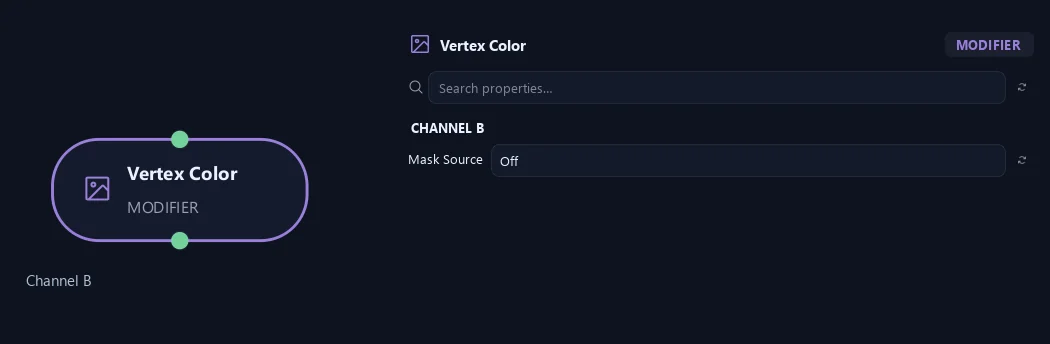
- Mask Source
Choose what this channel stores. Off preserves its incoming values. Random Value (per Leaf) gives each logical leaf one stable value across all its vertices, suitable for an engine-shader phase offset. Foliage Flutter gives a base-to-tip mask. An active source replaces only its own channel.
Channel A
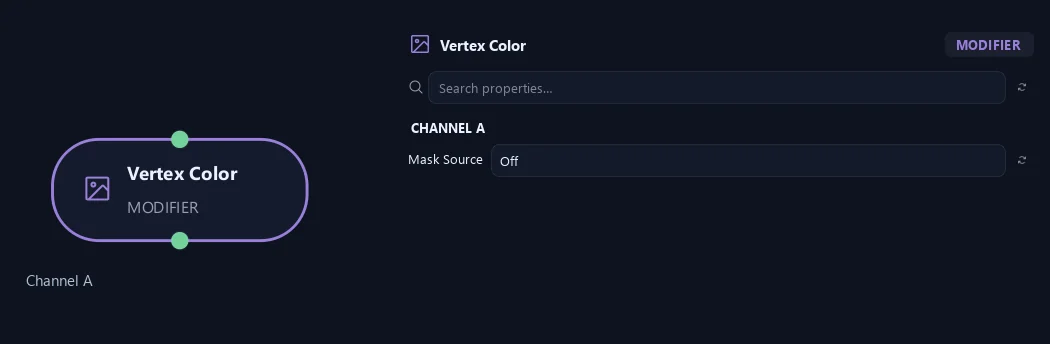
- Mask Source
Choose what this channel stores. Off preserves its incoming values. Random Value (per Leaf) gives each logical leaf one stable value across all its vertices, suitable for an engine-shader phase offset. Foliage Flutter gives a base-to-tip mask. An active source replaces only its own channel.
Export
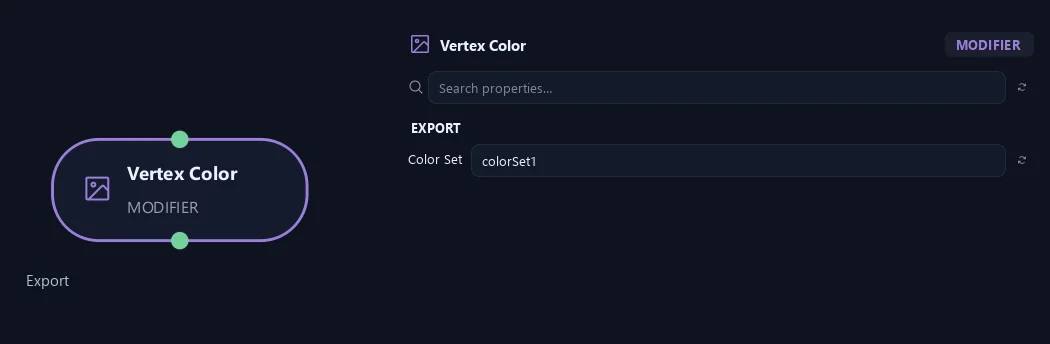
- Color Set
Names the Maya vertex-color set. colorSet1 is the default for the usual FBX workflow.
Channel R
Shown example: Mask Source = Random Value (per Leaf).
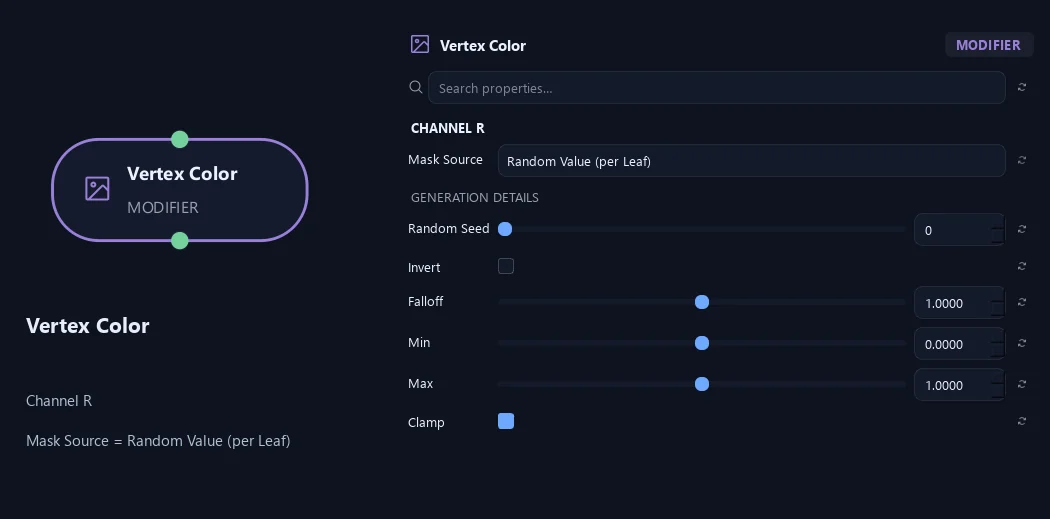
- Mask Source
Choose what this channel stores. Off preserves its incoming values. Random Value (per Leaf) gives each logical leaf one stable value across all its vertices, suitable for an engine-shader phase offset. Foliage Flutter gives a base-to-tip mask. An active source replaces only its own channel.
- Random Seed
Stable 0..1 value shared by every vertex of one placed leaf. Changes only this channel's random values, never leaf placement. The same seed produces the same values in different channels.
Available when Mask Source is Random Value (per Leaf).
- Invert
Flips the mask after Falloff, exchanging dark and light.
Available when Mask Source is Tree Distance or Branch Distance or Branch Level or Radius or Foliage Flutter or Random Value (per Leaf) or Collision Flexibility.
- Falloff
Changes how the mask rises from dark to light. One keeps an even response; larger values keep it darker for longer.
Available when Mask Source is Tree Distance or Branch Distance or Branch Level or Radius or Foliage Flutter or Random Value (per Leaf) or Collision Flexibility.
- Min
Sets the output value at the dark end of the mask.
Available when Mask Source is Tree Distance or Branch Distance or Branch Level or Radius or Foliage Flutter or Random Value (per Leaf) or Collision Flexibility.
- Max
Sets the output value at the light end of the mask.
Available when Mask Source is Tree Distance or Branch Distance or Branch Level or Radius or Foliage Flutter or Random Value (per Leaf) or Collision Flexibility.
- Clamp
Keeps final values between zero and one.
Available when Mask Source is Constant or Tree Distance or Branch Distance or Branch Level or Radius or Foliage Flutter or Random Value (per Leaf) or Collision Flexibility.
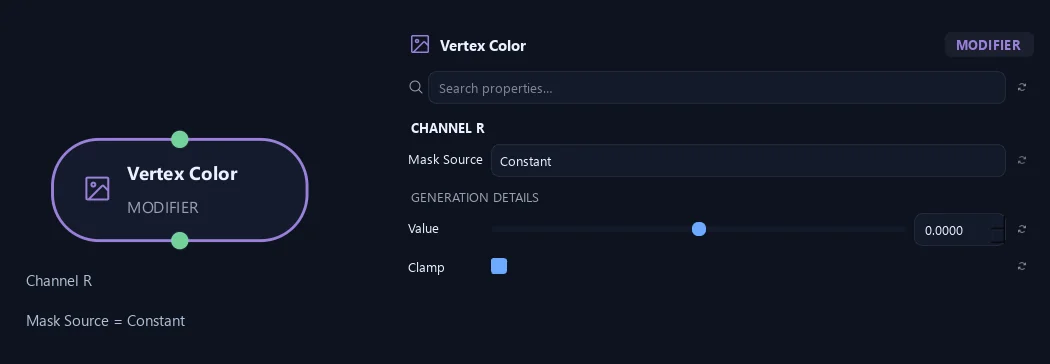
Channel R
Shown example: Mask Source = Constant.
- Mask Source
Choose what this channel stores. Off preserves its incoming values. Random Value (per Leaf) gives each logical leaf one stable value across all its vertices, suitable for an engine-shader phase offset. Foliage Flutter gives a base-to-tip mask. An active source replaces only its own channel.
- Value
Fills this channel with one value when Mask Source is Constant.
Available when Mask Source is Constant.
- Clamp
Keeps final values between zero and one.
Available when Mask Source is Constant or Tree Distance or Branch Distance or Branch Level or Radius or Foliage Flutter or Random Value (per Leaf) or Collision Flexibility.
Channel G
Shown example: Mask Source = Random Value (per Leaf).
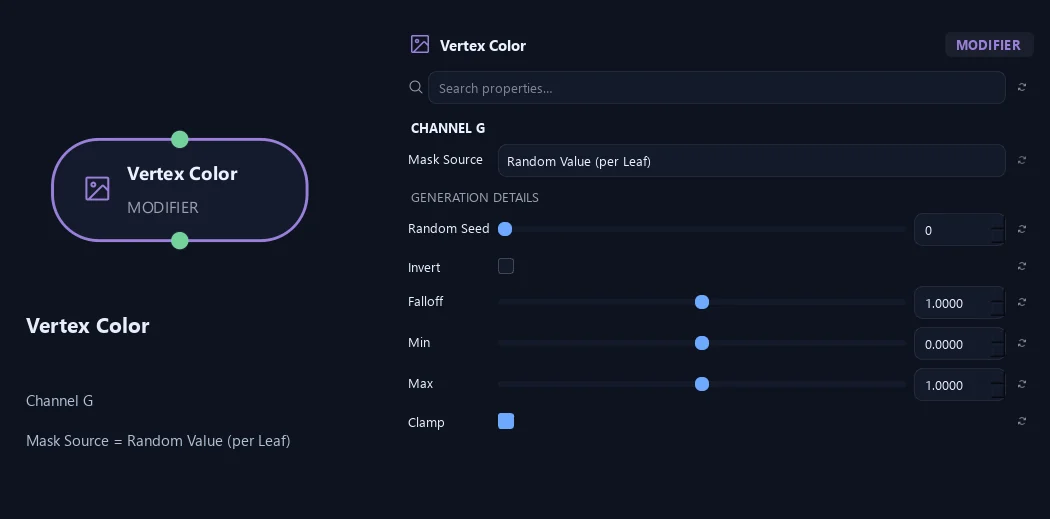
- Mask Source
Choose what this channel stores. Off preserves its incoming values. Random Value (per Leaf) gives each logical leaf one stable value across all its vertices, suitable for an engine-shader phase offset. Foliage Flutter gives a base-to-tip mask. An active source replaces only its own channel.
- Random Seed
Stable 0..1 value shared by every vertex of one placed leaf. Changes only this channel's random values, never leaf placement. The same seed produces the same values in different channels.
Available when Mask Source is Random Value (per Leaf).
- Invert
Flips the mask after Falloff, exchanging dark and light.
Available when Mask Source is Tree Distance or Branch Distance or Branch Level or Radius or Foliage Flutter or Random Value (per Leaf) or Collision Flexibility.
- Falloff
Changes how the mask rises from dark to light. One keeps an even response; larger values keep it darker for longer.
Available when Mask Source is Tree Distance or Branch Distance or Branch Level or Radius or Foliage Flutter or Random Value (per Leaf) or Collision Flexibility.
- Min
Sets the output value at the dark end of the mask.
Available when Mask Source is Tree Distance or Branch Distance or Branch Level or Radius or Foliage Flutter or Random Value (per Leaf) or Collision Flexibility.
- Max
Sets the output value at the light end of the mask.
Available when Mask Source is Tree Distance or Branch Distance or Branch Level or Radius or Foliage Flutter or Random Value (per Leaf) or Collision Flexibility.
- Clamp
Keeps final values between zero and one.
Available when Mask Source is Constant or Tree Distance or Branch Distance or Branch Level or Radius or Foliage Flutter or Random Value (per Leaf) or Collision Flexibility.
Channel G
Shown example: Mask Source = Constant.
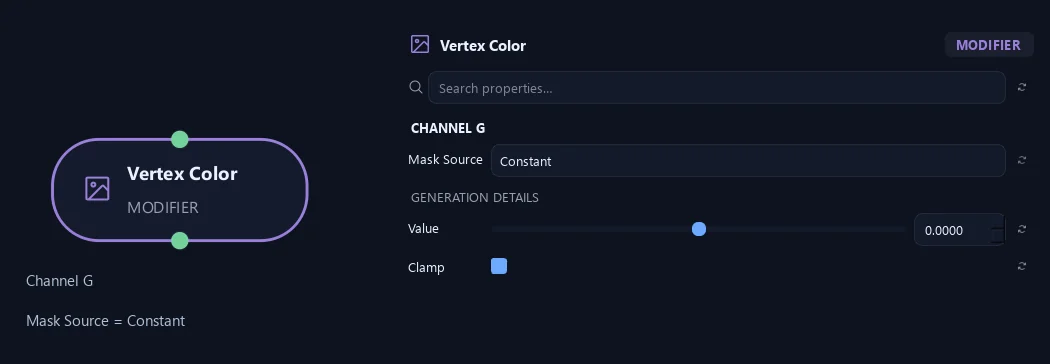
- Mask Source
Choose what this channel stores. Off preserves its incoming values. Random Value (per Leaf) gives each logical leaf one stable value across all its vertices, suitable for an engine-shader phase offset. Foliage Flutter gives a base-to-tip mask. An active source replaces only its own channel.
- Value
Fills this channel with one value when Mask Source is Constant.
Available when Mask Source is Constant.
- Clamp
Keeps final values between zero and one.
Available when Mask Source is Constant or Tree Distance or Branch Distance or Branch Level or Radius or Foliage Flutter or Random Value (per Leaf) or Collision Flexibility.
Channel G
Shown example: Mask Source = Tree Distance.
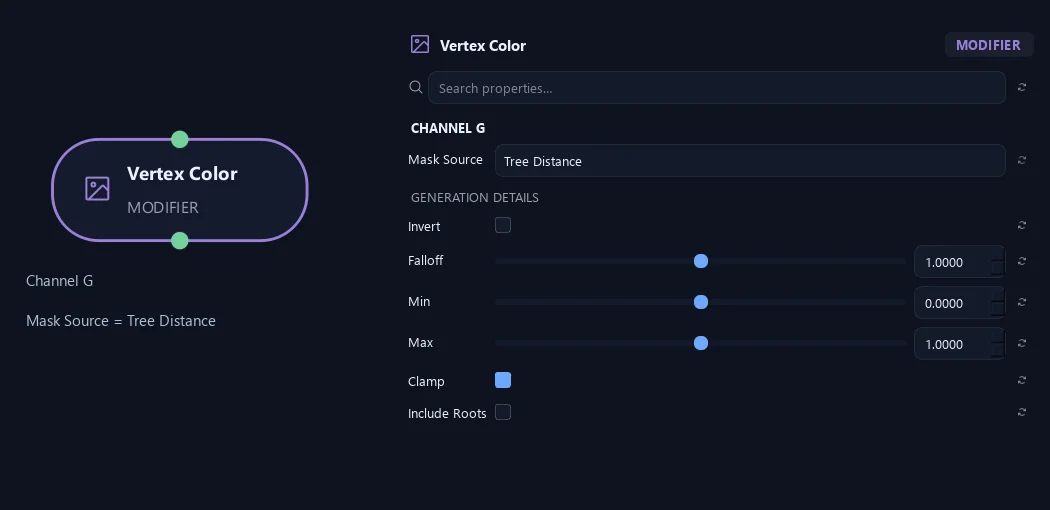
- Mask Source
Choose what this channel stores. Off preserves its incoming values. Random Value (per Leaf) gives each logical leaf one stable value across all its vertices, suitable for an engine-shader phase offset. Foliage Flutter gives a base-to-tip mask. An active source replaces only its own channel.
- Invert
Flips the mask after Falloff, exchanging dark and light.
Available when Mask Source is Tree Distance or Branch Distance or Branch Level or Radius or Foliage Flutter or Random Value (per Leaf) or Collision Flexibility.
- Falloff
Changes how the mask rises from dark to light. One keeps an even response; larger values keep it darker for longer.
Available when Mask Source is Tree Distance or Branch Distance or Branch Level or Radius or Foliage Flutter or Random Value (per Leaf) or Collision Flexibility.
- Min
Sets the output value at the dark end of the mask.
Available when Mask Source is Tree Distance or Branch Distance or Branch Level or Radius or Foliage Flutter or Random Value (per Leaf) or Collision Flexibility.
- Max
Sets the output value at the light end of the mask.
Available when Mask Source is Tree Distance or Branch Distance or Branch Level or Radius or Foliage Flutter or Random Value (per Leaf) or Collision Flexibility.
- Clamp
Keeps final values between zero and one.
Available when Mask Source is Constant or Tree Distance or Branch Distance or Branch Level or Radius or Foliage Flutter or Random Value (per Leaf) or Collision Flexibility.
- Include Roots
Includes roots in structural masks. When off, roots are set to zero after the other adjustments.
Available when Mask Source is Tree Distance or Branch Distance or Branch Level or Radius or Collision Flexibility.
Channel B
Shown example: Mask Source = Random Value (per Leaf).
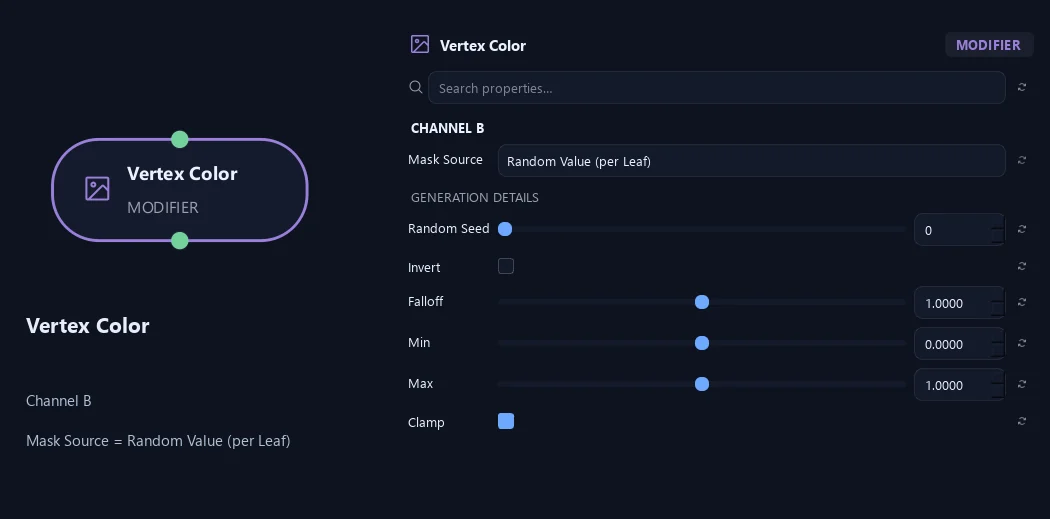
- Mask Source
Choose what this channel stores. Off preserves its incoming values. Random Value (per Leaf) gives each logical leaf one stable value across all its vertices, suitable for an engine-shader phase offset. Foliage Flutter gives a base-to-tip mask. An active source replaces only its own channel.
- Random Seed
Stable 0..1 value shared by every vertex of one placed leaf. Changes only this channel's random values, never leaf placement. The same seed produces the same values in different channels.
Available when Mask Source is Random Value (per Leaf).
- Invert
Flips the mask after Falloff, exchanging dark and light.
Available when Mask Source is Tree Distance or Branch Distance or Branch Level or Radius or Foliage Flutter or Random Value (per Leaf) or Collision Flexibility.
- Falloff
Changes how the mask rises from dark to light. One keeps an even response; larger values keep it darker for longer.
Available when Mask Source is Tree Distance or Branch Distance or Branch Level or Radius or Foliage Flutter or Random Value (per Leaf) or Collision Flexibility.
- Min
Sets the output value at the dark end of the mask.
Available when Mask Source is Tree Distance or Branch Distance or Branch Level or Radius or Foliage Flutter or Random Value (per Leaf) or Collision Flexibility.
- Max
Sets the output value at the light end of the mask.
Available when Mask Source is Tree Distance or Branch Distance or Branch Level or Radius or Foliage Flutter or Random Value (per Leaf) or Collision Flexibility.
- Clamp
Keeps final values between zero and one.
Available when Mask Source is Constant or Tree Distance or Branch Distance or Branch Level or Radius or Foliage Flutter or Random Value (per Leaf) or Collision Flexibility.
Channel B
Shown example: Mask Source = Constant.
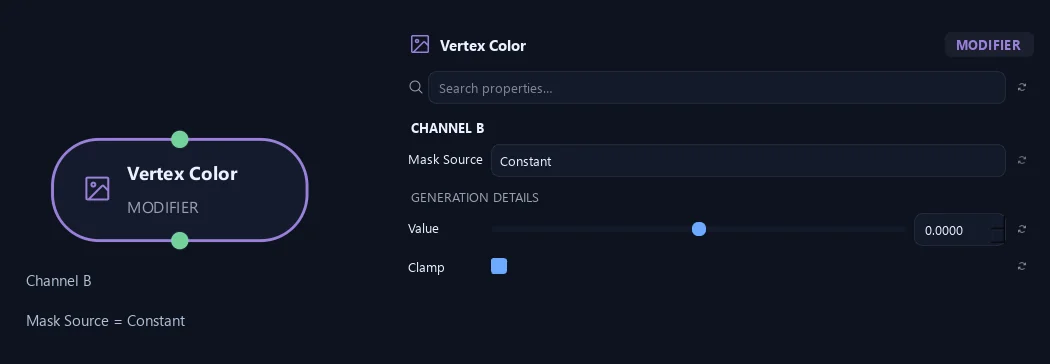
- Mask Source
Choose what this channel stores. Off preserves its incoming values. Random Value (per Leaf) gives each logical leaf one stable value across all its vertices, suitable for an engine-shader phase offset. Foliage Flutter gives a base-to-tip mask. An active source replaces only its own channel.
- Value
Fills this channel with one value when Mask Source is Constant.
Available when Mask Source is Constant.
- Clamp
Keeps final values between zero and one.
Available when Mask Source is Constant or Tree Distance or Branch Distance or Branch Level or Radius or Foliage Flutter or Random Value (per Leaf) or Collision Flexibility.
Channel B
Shown example: Mask Source = Tree Distance.
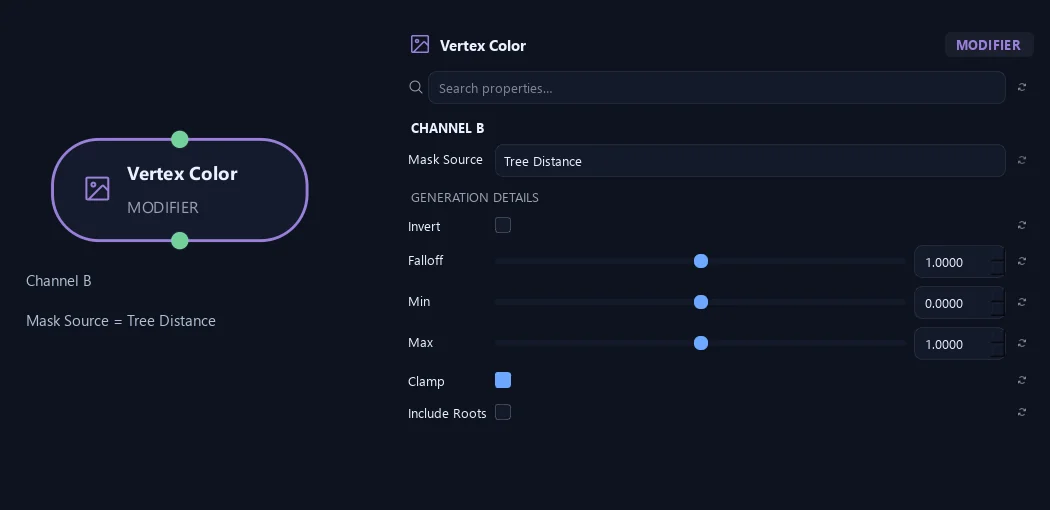
- Mask Source
Choose what this channel stores. Off preserves its incoming values. Random Value (per Leaf) gives each logical leaf one stable value across all its vertices, suitable for an engine-shader phase offset. Foliage Flutter gives a base-to-tip mask. An active source replaces only its own channel.
- Invert
Flips the mask after Falloff, exchanging dark and light.
Available when Mask Source is Tree Distance or Branch Distance or Branch Level or Radius or Foliage Flutter or Random Value (per Leaf) or Collision Flexibility.
- Falloff
Changes how the mask rises from dark to light. One keeps an even response; larger values keep it darker for longer.
Available when Mask Source is Tree Distance or Branch Distance or Branch Level or Radius or Foliage Flutter or Random Value (per Leaf) or Collision Flexibility.
- Min
Sets the output value at the dark end of the mask.
Available when Mask Source is Tree Distance or Branch Distance or Branch Level or Radius or Foliage Flutter or Random Value (per Leaf) or Collision Flexibility.
- Max
Sets the output value at the light end of the mask.
Available when Mask Source is Tree Distance or Branch Distance or Branch Level or Radius or Foliage Flutter or Random Value (per Leaf) or Collision Flexibility.
- Clamp
Keeps final values between zero and one.
Available when Mask Source is Constant or Tree Distance or Branch Distance or Branch Level or Radius or Foliage Flutter or Random Value (per Leaf) or Collision Flexibility.
- Include Roots
Includes roots in structural masks. When off, roots are set to zero after the other adjustments.
Available when Mask Source is Tree Distance or Branch Distance or Branch Level or Radius or Collision Flexibility.
Channel A
Shown example: Mask Source = Random Value (per Leaf).
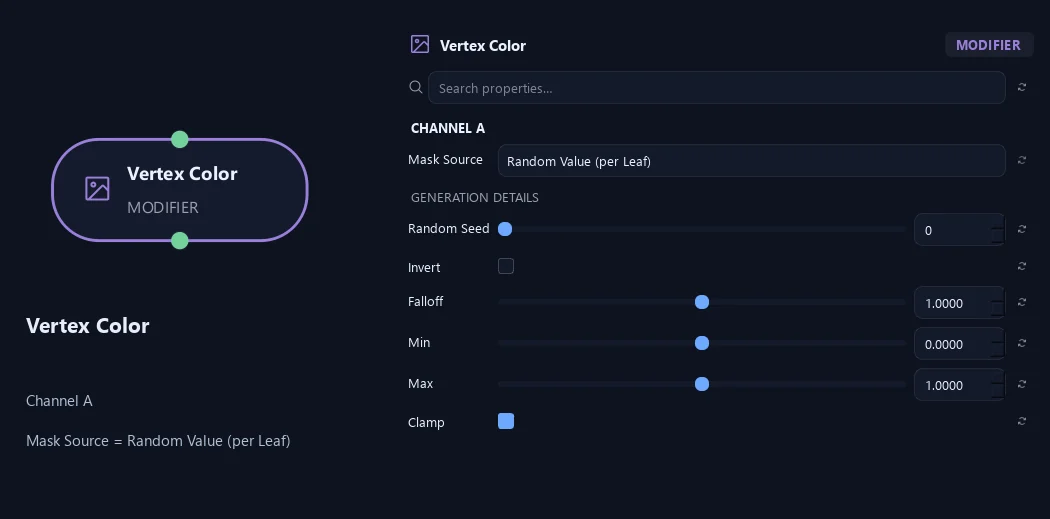
- Mask Source
Choose what this channel stores. Off preserves its incoming values. Random Value (per Leaf) gives each logical leaf one stable value across all its vertices, suitable for an engine-shader phase offset. Foliage Flutter gives a base-to-tip mask. An active source replaces only its own channel.
- Random Seed
Stable 0..1 value shared by every vertex of one placed leaf. Changes only this channel's random values, never leaf placement. The same seed produces the same values in different channels.
Available when Mask Source is Random Value (per Leaf).
- Invert
Flips the mask after Falloff, exchanging dark and light.
Available when Mask Source is Tree Distance or Branch Distance or Branch Level or Radius or Foliage Flutter or Random Value (per Leaf) or Collision Flexibility.
- Falloff
Changes how the mask rises from dark to light. One keeps an even response; larger values keep it darker for longer.
Available when Mask Source is Tree Distance or Branch Distance or Branch Level or Radius or Foliage Flutter or Random Value (per Leaf) or Collision Flexibility.
- Min
Sets the output value at the dark end of the mask.
Available when Mask Source is Tree Distance or Branch Distance or Branch Level or Radius or Foliage Flutter or Random Value (per Leaf) or Collision Flexibility.
- Max
Sets the output value at the light end of the mask.
Available when Mask Source is Tree Distance or Branch Distance or Branch Level or Radius or Foliage Flutter or Random Value (per Leaf) or Collision Flexibility.
- Clamp
Keeps final values between zero and one.
Available when Mask Source is Constant or Tree Distance or Branch Distance or Branch Level or Radius or Foliage Flutter or Random Value (per Leaf) or Collision Flexibility.
Channel A
Shown example: Mask Source = Constant.
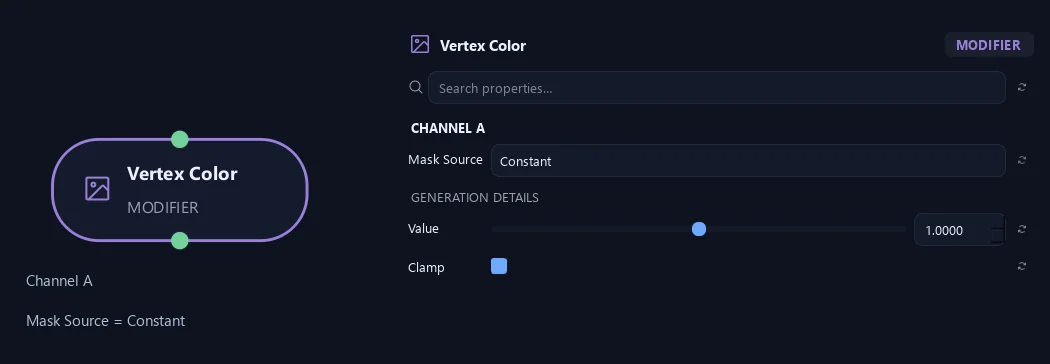
- Mask Source
Choose what this channel stores. Off preserves its incoming values. Random Value (per Leaf) gives each logical leaf one stable value across all its vertices, suitable for an engine-shader phase offset. Foliage Flutter gives a base-to-tip mask. An active source replaces only its own channel.
- Value
Fills this channel with one value when Mask Source is Constant.
Available when Mask Source is Constant.
- Clamp
Keeps final values between zero and one.
Available when Mask Source is Constant or Tree Distance or Branch Distance or Branch Level or Radius or Foliage Flutter or Random Value (per Leaf) or Collision Flexibility.
Channel A
Shown example: Mask Source = Tree Distance.
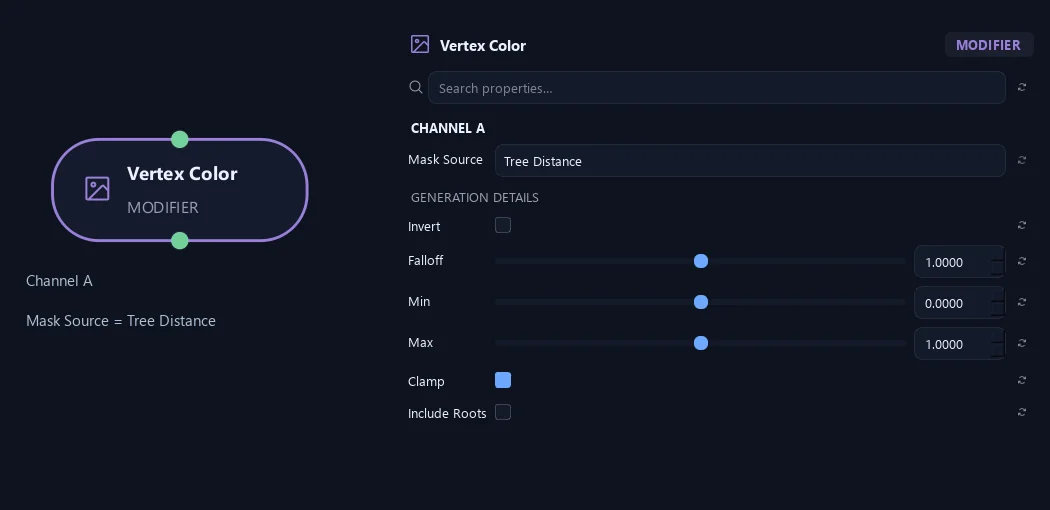
- Mask Source
Choose what this channel stores. Off preserves its incoming values. Random Value (per Leaf) gives each logical leaf one stable value across all its vertices, suitable for an engine-shader phase offset. Foliage Flutter gives a base-to-tip mask. An active source replaces only its own channel.
- Invert
Flips the mask after Falloff, exchanging dark and light.
Available when Mask Source is Tree Distance or Branch Distance or Branch Level or Radius or Foliage Flutter or Random Value (per Leaf) or Collision Flexibility.
- Falloff
Changes how the mask rises from dark to light. One keeps an even response; larger values keep it darker for longer.
Available when Mask Source is Tree Distance or Branch Distance or Branch Level or Radius or Foliage Flutter or Random Value (per Leaf) or Collision Flexibility.
- Min
Sets the output value at the dark end of the mask.
Available when Mask Source is Tree Distance or Branch Distance or Branch Level or Radius or Foliage Flutter or Random Value (per Leaf) or Collision Flexibility.
- Max
Sets the output value at the light end of the mask.
Available when Mask Source is Tree Distance or Branch Distance or Branch Level or Radius or Foliage Flutter or Random Value (per Leaf) or Collision Flexibility.
- Clamp
Keeps final values between zero and one.
Available when Mask Source is Constant or Tree Distance or Branch Distance or Branch Level or Radius or Foliage Flutter or Random Value (per Leaf) or Collision Flexibility.
- Include Roots
Includes roots in structural masks. When off, roots are set to zero after the other adjustments.
Available when Mask Source is Tree Distance or Branch Distance or Branch Level or Radius or Collision Flexibility.
What is ZenGrove used for?
The ZenGrove 1.0.0 reference: 52 nodes, 907 settings and short WebM demos. Explore Look At asset orientation, GameDynamics, joint previews, skeletal export and per-leaf random vertex colors. Requires AO.Hub 1.6.6 or later.
Which host application does ZenGrove support?
ZenGrove is built for Autodesk Maya and is distributed through AO Studio Tools.
Where can I download ZenGrove?
Download the current AO Studio Tools package from https://aostudio.tools/getthetools.html and install it through AO.Hub.