
ZenGrove
Built to move. Down to the last leaf.
Built to move. Down to the last leaf.
The ZenGrove 1.0.0 reference: 52 nodes, 907 settings and short WebM demos. Explore Look At asset orientation, GameDynamics, joint previews, skeletal export and per-leaf random vertex colors. Requires AO.Hub 1.6.6 or later.
Noise
Give branches their own character with Legacy, fBm, fBm + Domain Warp or Curvature noise. Shape the path and tube surface independently, with profiles and seeded variation that keep the result repeatable.
Branches
Branches
Start with Legacy for the familiar displacement response, fBm for layered detail, or fBm + Domain Warp for a less regular rhythm. Choose Curvature when you want the branch to bend while preserving its root, initial tangent and canonical segment lengths. Keep the seed fixed while comparing modes and adjust Amount after switching.
Octaves sets the number of layers. Lacunarity controls how their frequencies spread apart; Gain controls how much finer layers contribute. Domain Warp and Warp Frequency remap the sampling position in the two warp-capable modes. Zero Domain Warp removes that remapping.
Structural Noise changes the branch path. Surface Noise changes tube detail relative to the branch radius, with independent horizontal and vertical frequencies. Its coordinates follow the tube, independently of texture UVs; Smoothness filters the noise detail rather than smoothing the mesh.
Use Scope to choose the affected hierarchy and profiles to vary strength and frequency along it. With Active Branches before Split, the authored noise stays on the existing stem and new tips inherit its attachment frame. Compare the rebuilt preview before saving an older graph with a new noise mode.
Settings → Acceleration → Use CPU multithreading enables supported Rust CPU kernels, including structural and surface Noise and Curvature. Use GPU accelerates Dynamics wind and obstacle collisions; supported noise kernels still run on the CPU.
Watch the Noise settings tour
Current Maya controls, including conditional settings. Each view stays on screen for one second (three views take three seconds); pause or choose a group to inspect it.
Setup
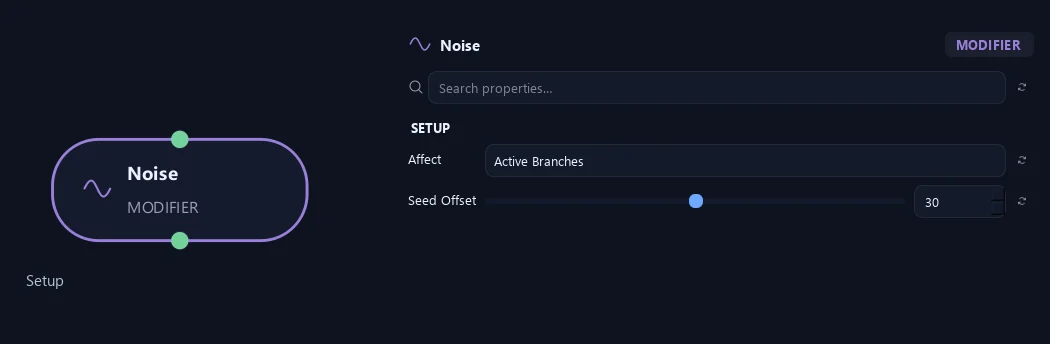
- Affect
Chooses which branches are affected. Active Branches uses the latest generated layer. Active + Descendants also includes growth from that layer. Active Generated Hierarchy additionally includes ancestors created by that same generated contribution. Entire Input uses everything arriving here. Attached children follow a moved parent even when they are not reshaped themselves.
- Seed Offset
Changes this node's random variation. Keep the seed and settings unchanged to reproduce the same result.
Structural Noise (1)
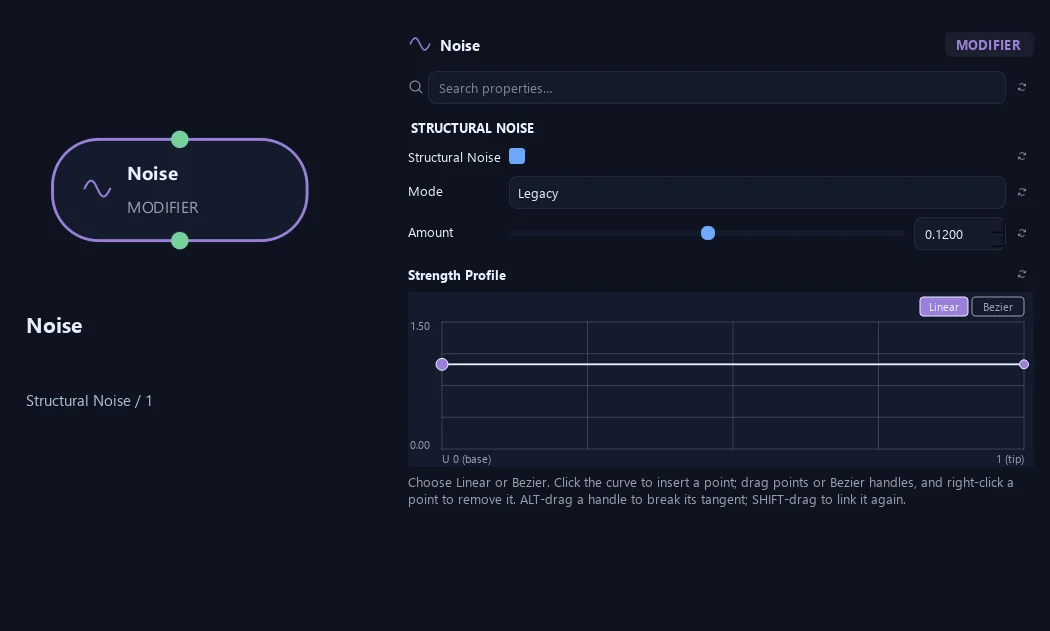
- Structural Noise
Adds smooth variation to branch paths. Choose a Noise Mode and shape its strength and frequency along each branch. For a noisy stem with independently generated tips, apply Active Branches before the downstream Split.
- Mode
Legacy keeps the original displacement style. fBm layers gradient noise at multiple scales. fBm + Domain Warp remaps its sampling position for less regular detail. Curvature bends the path while preserving its root, initial tangent and canonical segment lengths. Existing graphs retain Legacy; choose another mode deliberately.
Available when Structural Noise is On.
- Amount
Strength of the structural variation. Legacy and fBm modes use displacement distance. Curvature uses additional turning in radians per normalized branch length, so the same number does not produce the same result across modes.
Available when Structural Noise is On.
- Strength Profile
Multiplies structural Amount along the physical path: 0 is the attachment and 1 is the tip. Use it to keep the base restrained and let the outer branch become more irregular.
Available when Structural Noise is On.
Structural Noise (2)
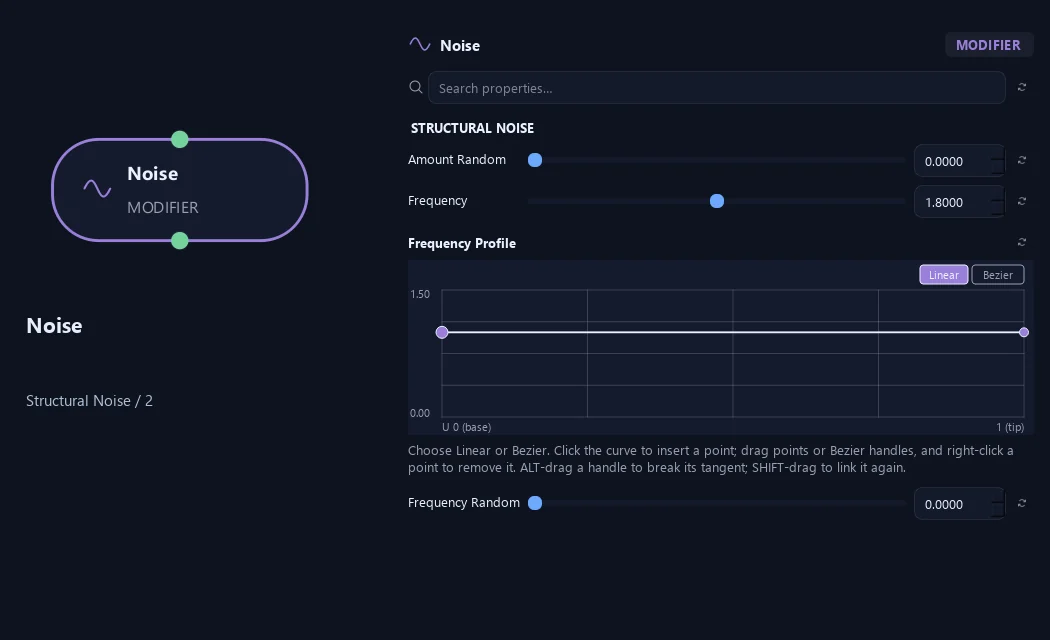
- Amount Random
Seeded variation of structural Amount between branches, expressed as a fraction. A value of 0.5 varies it from 50% to 150% of the base amount.
Available when Structural Noise is On.
- Frequency
Sets how frequently bends repeat. Higher values create shorter, more frequent bends.
Available when Structural Noise is On.
- Frequency Profile
Multiplies local structural Frequency along the physical path, from attachment to tip. The phase remains continuous as the profile changes.
Available when Structural Noise is On.
- Frequency Random
Seeded variation of structural Frequency between branches, expressed as a fraction. A value of 0.5 varies it from 50% to 150% of the base frequency.
Available when Structural Noise is On.
Surface Noise (1)
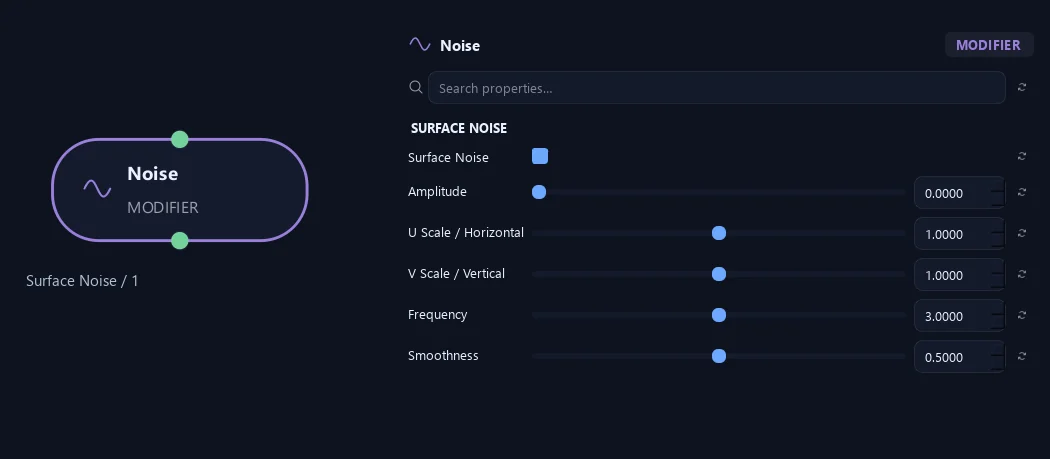
- Surface Noise
Enables the separate surface layer. Set Amplitude above zero to see displacement; switching this layer off retains Structural Noise.
- Amplitude
Surface displacement relative to the local radius. Independent of centerline noise; layers add together.
Available when Surface Noise is On.
- U Scale / Horizontal
Stretch the pattern around the circumference. The wrap is seamless.
Available when Surface Noise is On.
- V Scale / Vertical
Stretch the pattern along the branch. Independent of texture UVs.
Available when Surface Noise is On.
- Frequency
Sets the frequency of the surface pattern. Higher values make smaller, more frequent details; mesh resolution must be high enough to show them.
Available when Surface Noise is On.
- Smoothness
Suppress fine noise octaves for a smoother surface. Does not smooth the mesh or change its resolution.
Available when Surface Noise is On.
Surface Noise (2)
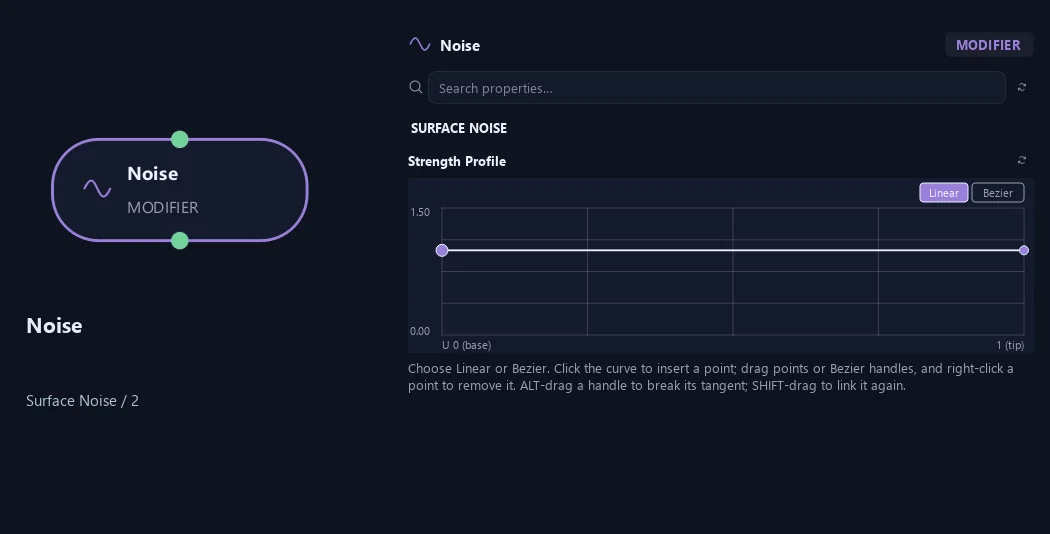
- Strength Profile
Multiplies surface displacement along the branch from base (0) to tip (1). Use zero near the attachment or tip to keep those regions smooth.
Available when Surface Noise is On.
Structural Noise (1)
Shown example: Structural Noise = On · Mode = fBm.
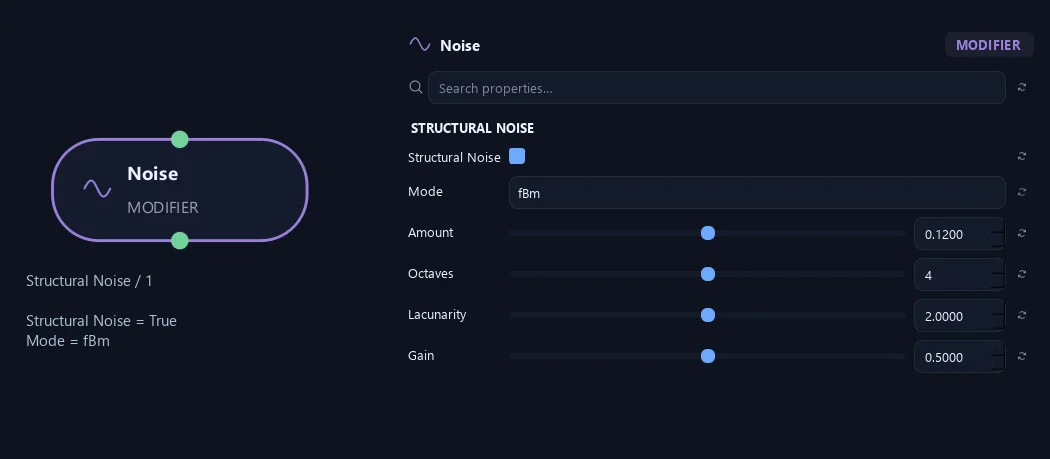
- Structural Noise
Adds smooth variation to branch paths. Choose a Noise Mode and shape its strength and frequency along each branch. For a noisy stem with independently generated tips, apply Active Branches before the downstream Split.
- Mode
Legacy keeps the original displacement style. fBm layers gradient noise at multiple scales. fBm + Domain Warp remaps its sampling position for less regular detail. Curvature bends the path while preserving its root, initial tangent and canonical segment lengths. Existing graphs retain Legacy; choose another mode deliberately.
Available when Structural Noise is On.
- Amount
Strength of the structural variation. Legacy and fBm modes use displacement distance. Curvature uses additional turning in radians per normalized branch length, so the same number does not produce the same result across modes.
Available when Structural Noise is On.
- Octaves
Number of gradient-noise layers, from 1 to 8. More layers add finer detail. Frequencies beyond the path solver’s sampling budget fade out smoothly rather than introducing unstable high-frequency detail.
Available when Structural Noise is On and Mode is fBm or fBm + Domain Warp or Curvature.
- Lacunarity
Frequency multiplier between successive noise layers. Higher values separate their scales more strongly; 2 doubles the frequency for each octave.
Available when Structural Noise is On and Mode is fBm or fBm + Domain Warp or Curvature.
- Gain
Amplitude multiplier between successive noise layers. Higher values give finer layers more influence; 0.5 halves their amplitude at each octave.
Available when Structural Noise is On and Mode is fBm or fBm + Domain Warp or Curvature.
Structural Noise (2)
Shown example: Structural Noise = On · Mode = fBm.
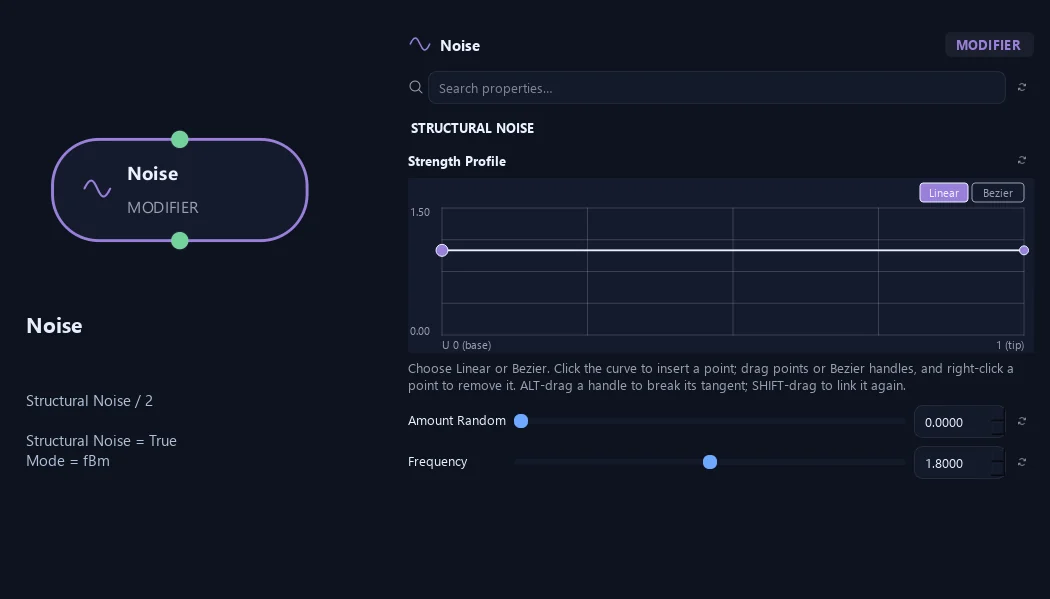
- Strength Profile
Multiplies structural Amount along the physical path: 0 is the attachment and 1 is the tip. Use it to keep the base restrained and let the outer branch become more irregular.
Available when Structural Noise is On.
- Amount Random
Seeded variation of structural Amount between branches, expressed as a fraction. A value of 0.5 varies it from 50% to 150% of the base amount.
Available when Structural Noise is On.
- Frequency
Sets how frequently bends repeat. Higher values create shorter, more frequent bends.
Available when Structural Noise is On.
Structural Noise (3)
Shown example: Structural Noise = On · Mode = fBm.
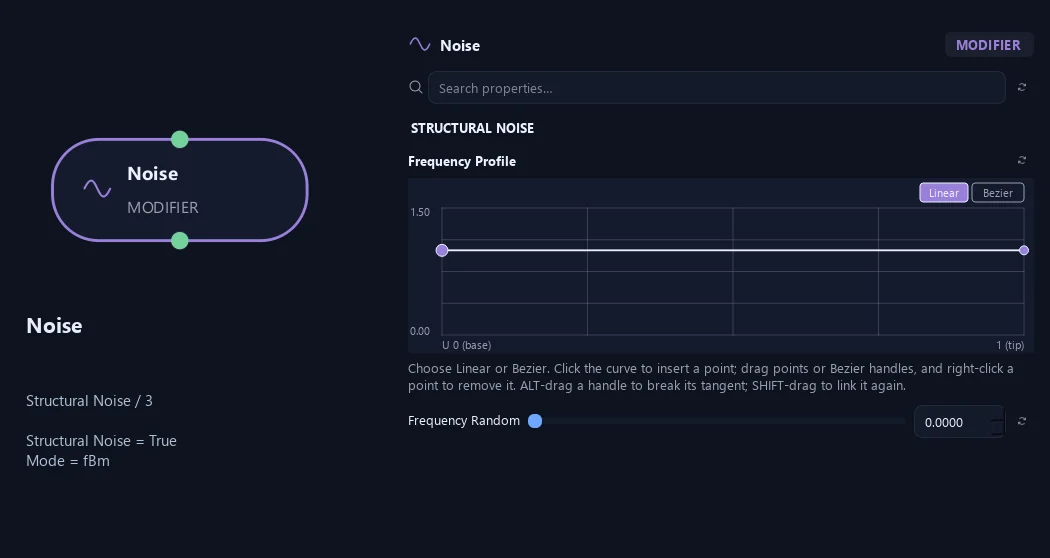
- Frequency Profile
Multiplies local structural Frequency along the physical path, from attachment to tip. The phase remains continuous as the profile changes.
Available when Structural Noise is On.
- Frequency Random
Seeded variation of structural Frequency between branches, expressed as a fraction. A value of 0.5 varies it from 50% to 150% of the base frequency.
Available when Structural Noise is On.
Structural Noise (1)
Shown example: Structural Noise = On · Mode = fBm + Domain Warp.
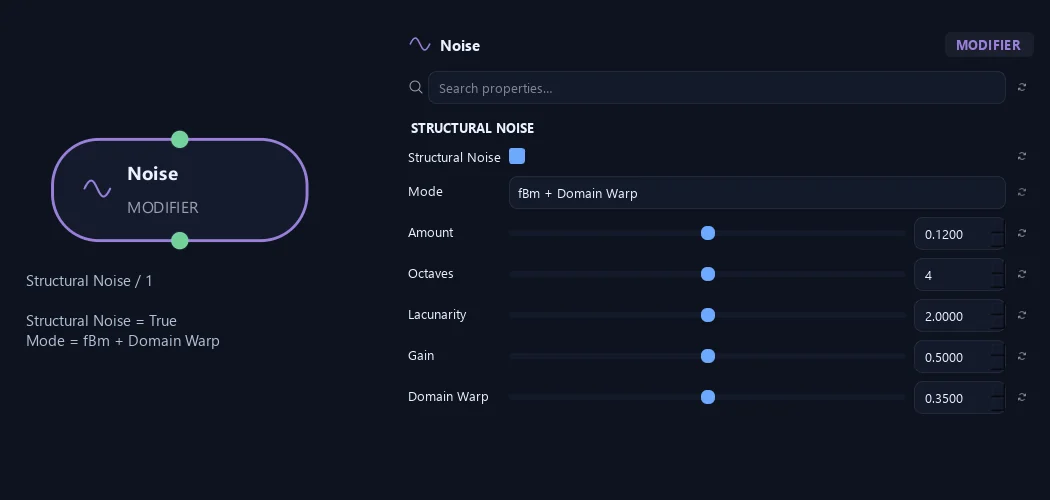
- Structural Noise
Adds smooth variation to branch paths. Choose a Noise Mode and shape its strength and frequency along each branch. For a noisy stem with independently generated tips, apply Active Branches before the downstream Split.
- Mode
Legacy keeps the original displacement style. fBm layers gradient noise at multiple scales. fBm + Domain Warp remaps its sampling position for less regular detail. Curvature bends the path while preserving its root, initial tangent and canonical segment lengths. Existing graphs retain Legacy; choose another mode deliberately.
Available when Structural Noise is On.
- Amount
Strength of the structural variation. Legacy and fBm modes use displacement distance. Curvature uses additional turning in radians per normalized branch length, so the same number does not produce the same result across modes.
Available when Structural Noise is On.
- Octaves
Number of gradient-noise layers, from 1 to 8. More layers add finer detail. Frequencies beyond the path solver’s sampling budget fade out smoothly rather than introducing unstable high-frequency detail.
Available when Structural Noise is On and Mode is fBm or fBm + Domain Warp or Curvature.
- Lacunarity
Frequency multiplier between successive noise layers. Higher values separate their scales more strongly; 2 doubles the frequency for each octave.
Available when Structural Noise is On and Mode is fBm or fBm + Domain Warp or Curvature.
- Gain
Amplitude multiplier between successive noise layers. Higher values give finer layers more influence; 0.5 halves their amplitude at each octave.
Available when Structural Noise is On and Mode is fBm or fBm + Domain Warp or Curvature.
- Domain Warp
Strength of the domain remapping in fBm + Domain Warp and Curvature. Zero disables the warp. The sampling coordinate always moves forward, so stronger remapping does not reverse the noise path.
Available when Structural Noise is On and Mode is fBm + Domain Warp or Curvature.
Structural Noise (2)
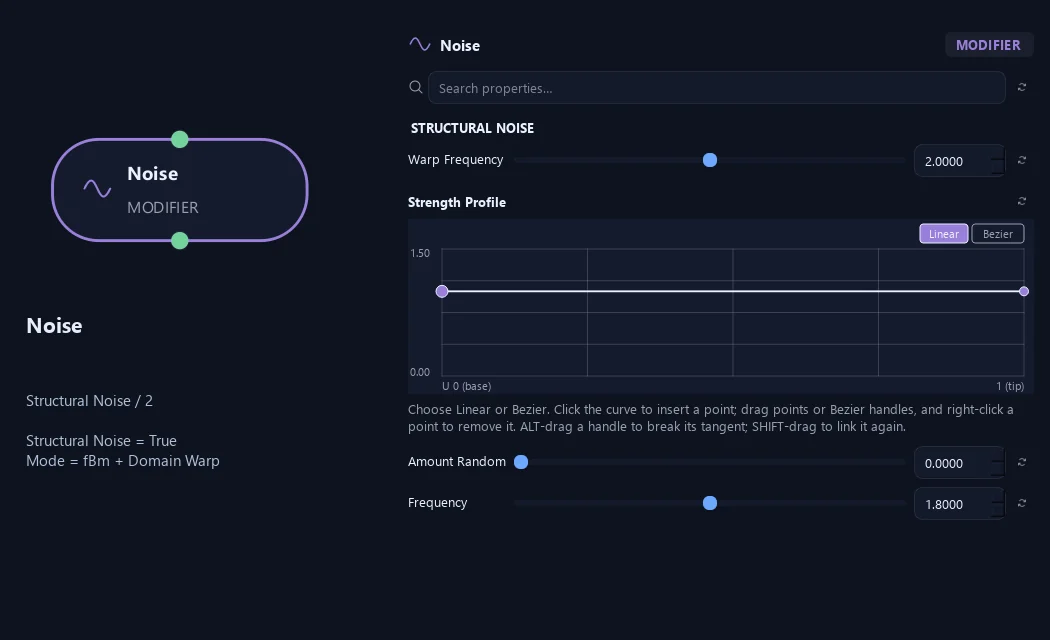
Shown example: Structural Noise = On · Mode = fBm + Domain Warp.
- Warp Frequency
How quickly domain remapping varies along the branch. This is independent of the main structural Frequency and is available in fBm + Domain Warp and Curvature.
Available when Structural Noise is On and Mode is fBm + Domain Warp or Curvature.
- Strength Profile
Multiplies structural Amount along the physical path: 0 is the attachment and 1 is the tip. Use it to keep the base restrained and let the outer branch become more irregular.
Available when Structural Noise is On.
- Amount Random
Seeded variation of structural Amount between branches, expressed as a fraction. A value of 0.5 varies it from 50% to 150% of the base amount.
Available when Structural Noise is On.
- Frequency
Sets how frequently bends repeat. Higher values create shorter, more frequent bends.
Available when Structural Noise is On.
Structural Noise (3)
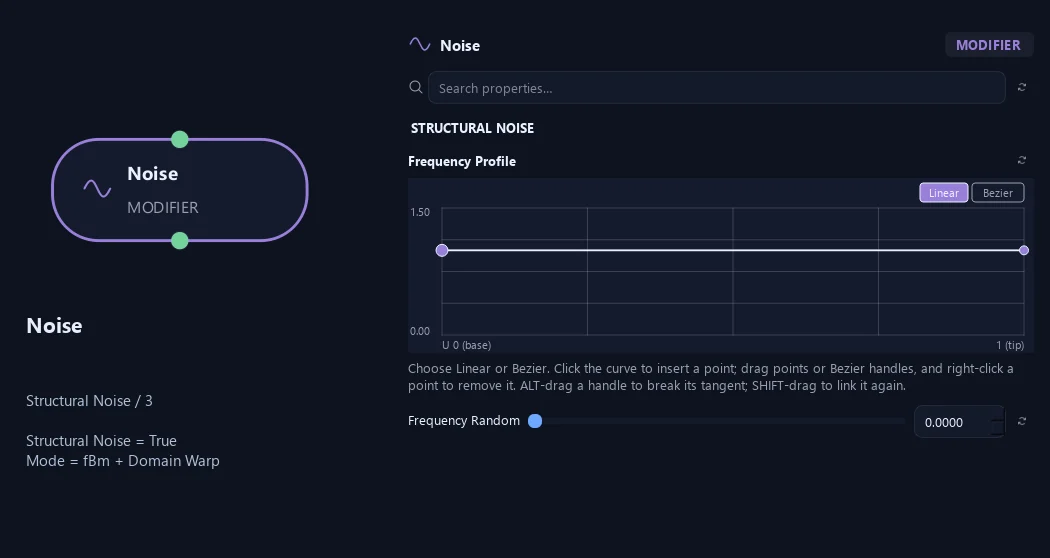
Shown example: Structural Noise = On · Mode = fBm + Domain Warp.
- Frequency Profile
Multiplies local structural Frequency along the physical path, from attachment to tip. The phase remains continuous as the profile changes.
Available when Structural Noise is On.
- Frequency Random
Seeded variation of structural Frequency between branches, expressed as a fraction. A value of 0.5 varies it from 50% to 150% of the base frequency.
Available when Structural Noise is On.
Structural Noise (1)
Shown example: Structural Noise = On · Mode = Curvature.
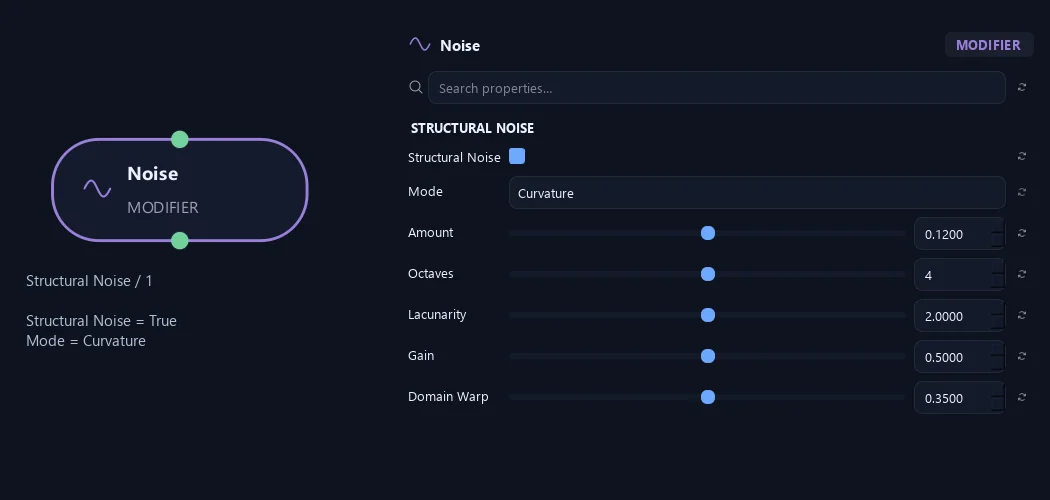
- Structural Noise
Adds smooth variation to branch paths. Choose a Noise Mode and shape its strength and frequency along each branch. For a noisy stem with independently generated tips, apply Active Branches before the downstream Split.
- Mode
Legacy keeps the original displacement style. fBm layers gradient noise at multiple scales. fBm + Domain Warp remaps its sampling position for less regular detail. Curvature bends the path while preserving its root, initial tangent and canonical segment lengths. Existing graphs retain Legacy; choose another mode deliberately.
Available when Structural Noise is On.
- Amount
Strength of the structural variation. Legacy and fBm modes use displacement distance. Curvature uses additional turning in radians per normalized branch length, so the same number does not produce the same result across modes.
Available when Structural Noise is On.
- Octaves
Number of gradient-noise layers, from 1 to 8. More layers add finer detail. Frequencies beyond the path solver’s sampling budget fade out smoothly rather than introducing unstable high-frequency detail.
Available when Structural Noise is On and Mode is fBm or fBm + Domain Warp or Curvature.
- Lacunarity
Frequency multiplier between successive noise layers. Higher values separate their scales more strongly; 2 doubles the frequency for each octave.
Available when Structural Noise is On and Mode is fBm or fBm + Domain Warp or Curvature.
- Gain
Amplitude multiplier between successive noise layers. Higher values give finer layers more influence; 0.5 halves their amplitude at each octave.
Available when Structural Noise is On and Mode is fBm or fBm + Domain Warp or Curvature.
- Domain Warp
Strength of the domain remapping in fBm + Domain Warp and Curvature. Zero disables the warp. The sampling coordinate always moves forward, so stronger remapping does not reverse the noise path.
Available when Structural Noise is On and Mode is fBm + Domain Warp or Curvature.
Structural Noise (2)
Shown example: Structural Noise = On · Mode = Curvature.
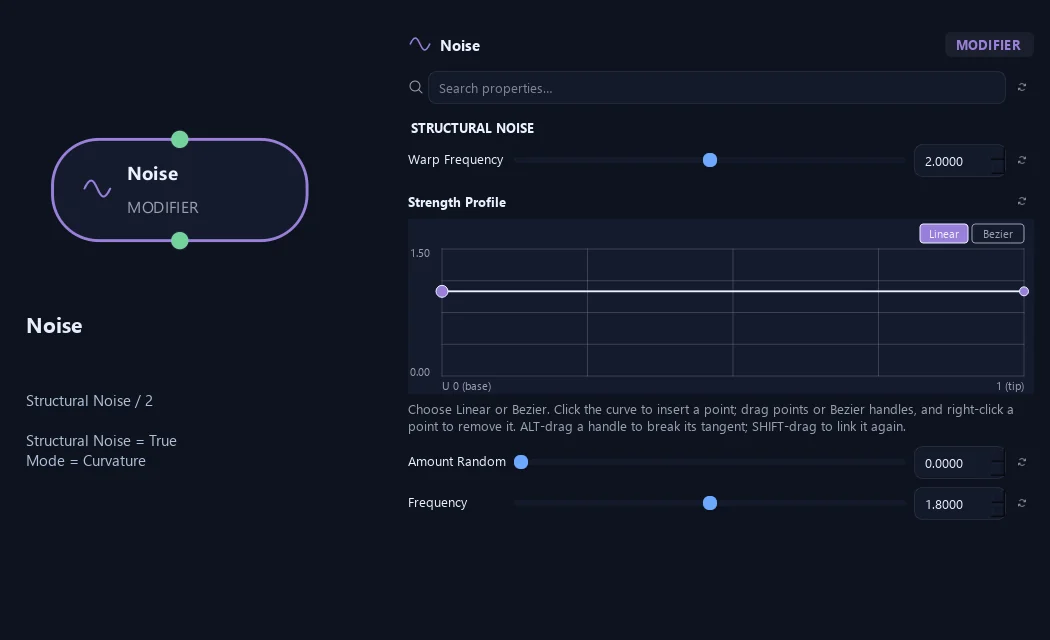
- Warp Frequency
How quickly domain remapping varies along the branch. This is independent of the main structural Frequency and is available in fBm + Domain Warp and Curvature.
Available when Structural Noise is On and Mode is fBm + Domain Warp or Curvature.
- Strength Profile
Multiplies structural Amount along the physical path: 0 is the attachment and 1 is the tip. Use it to keep the base restrained and let the outer branch become more irregular.
Available when Structural Noise is On.
- Amount Random
Seeded variation of structural Amount between branches, expressed as a fraction. A value of 0.5 varies it from 50% to 150% of the base amount.
Available when Structural Noise is On.
- Frequency
Sets how frequently bends repeat. Higher values create shorter, more frequent bends.
Available when Structural Noise is On.
Structural Noise (3)
Shown example: Structural Noise = On · Mode = Curvature.
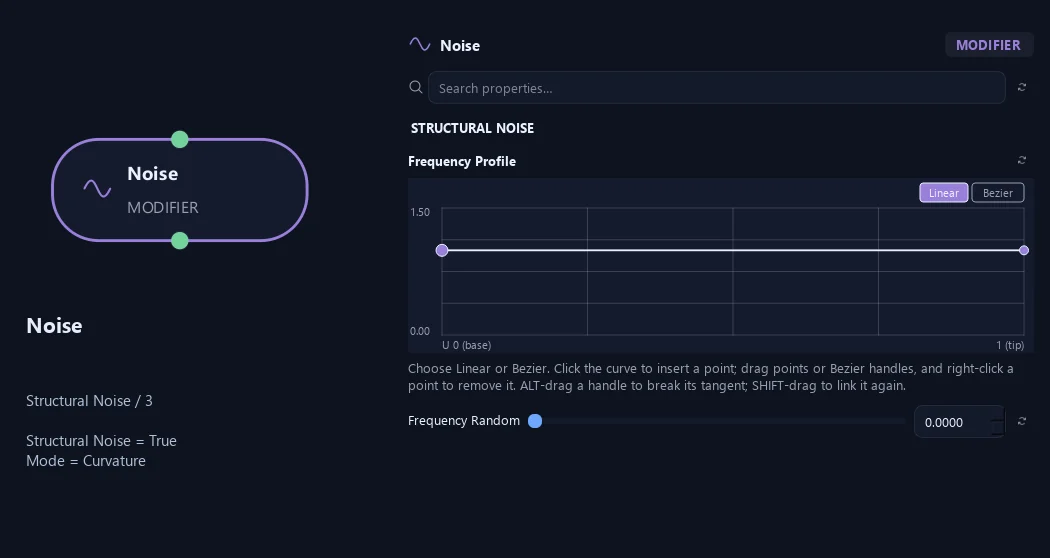
- Frequency Profile
Multiplies local structural Frequency along the physical path, from attachment to tip. The phase remains continuous as the profile changes.
Available when Structural Noise is On.
- Frequency Random
Seeded variation of structural Frequency between branches, expressed as a fraction. A value of 0.5 varies it from 50% to 150% of the base frequency.
Available when Structural Noise is On.
What is ZenGrove used for?
The ZenGrove 1.0.0 reference: 52 nodes, 907 settings and short WebM demos. Explore Look At asset orientation, GameDynamics, joint previews, skeletal export and per-leaf random vertex colors. Requires AO.Hub 1.6.6 or later.
Which host application does ZenGrove support?
ZenGrove is built for Autodesk Maya and is distributed through AO Studio Tools.
Where can I download ZenGrove?
Download the current AO Studio Tools package from https://aostudio.tools/getthetools.html and install it through AO.Hub.